T Booking
A complete, mobile-first bus ticket booking platform built with Laravel 13 — live seat maps, multi-language, multi-currency, online payments, PDF e-tickets and a full admin panel.
- Laravel 13
- PHP 8.3+
- MySQL / MariaDB
- 9 languages + RTL
- 58 currencies
- Web installer
Thank you for choosing T Booking by Anow Hosting. This guide explains how to install the script on shared hosting (cPanel) or a VPS, how to configure payments, e-mail and other services, and how to use the admin and operator panels.
For travellers
- Search, filters, compare buses
- Interactive seat map (8 layouts)
- Card, PayPal, UPI, bank transfer, wallet
- PDF e-ticket with QR & barcode
- Live bus tracking, reviews
For your business
- Admin panel with 23 modules
- Operator (bus company) panel
- Dynamic pricing & coupons
- Reports with PDF / CSV export
- Roles & granular permissions
Built to sell worldwide
- 9 languages incl. Tamil, Sinhala, Hindi, Arabic (RTL)
- 58 currencies with live rates
- SEO: sitemaps, hreflang, schema.org
- PWA, dark mode, REST API
Screenshots
Tap any image to enlarge it.
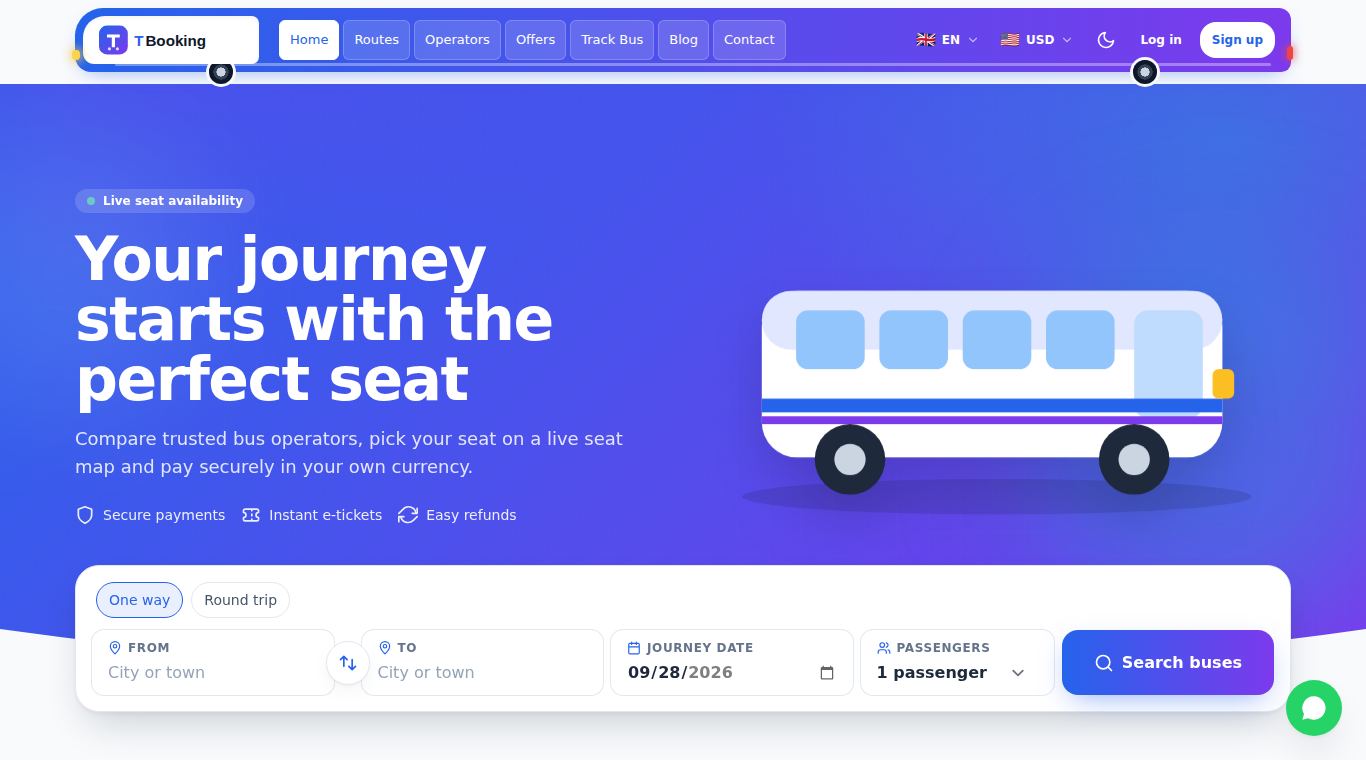
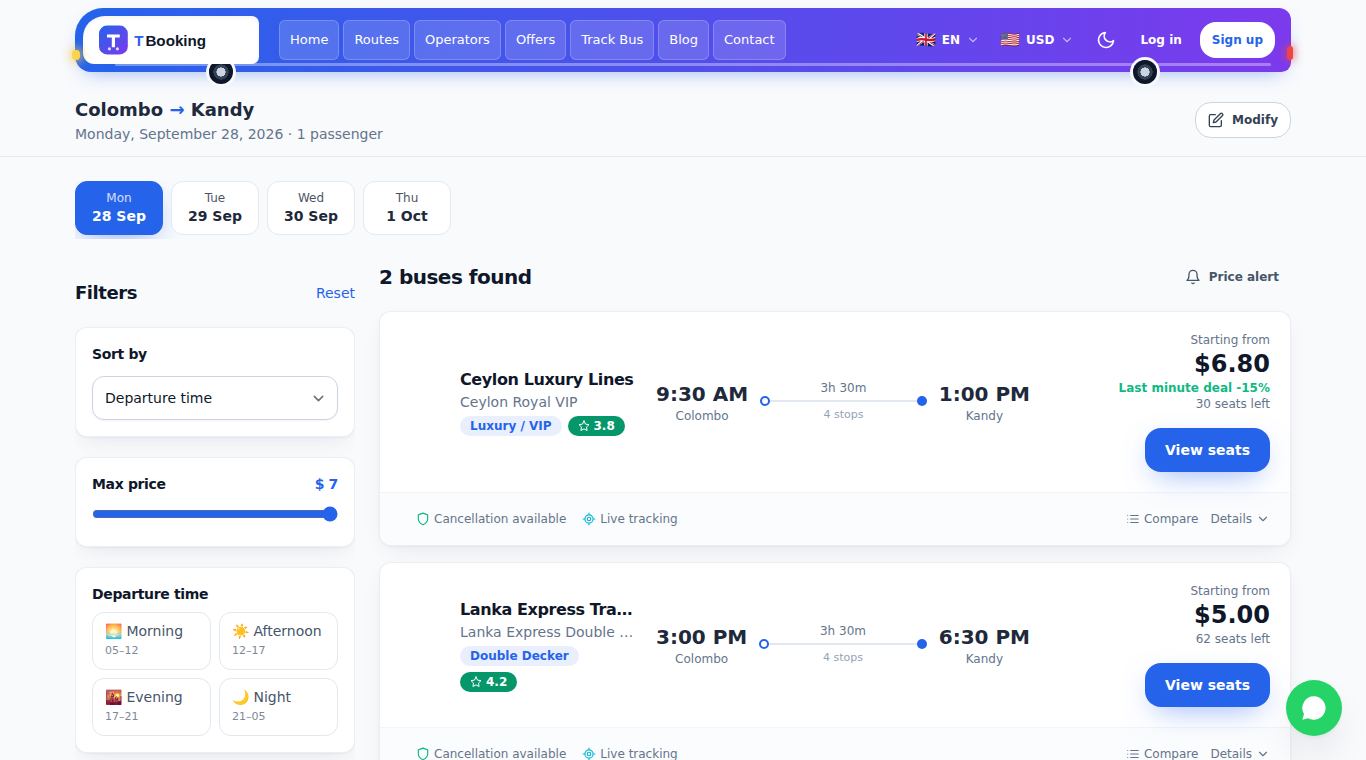
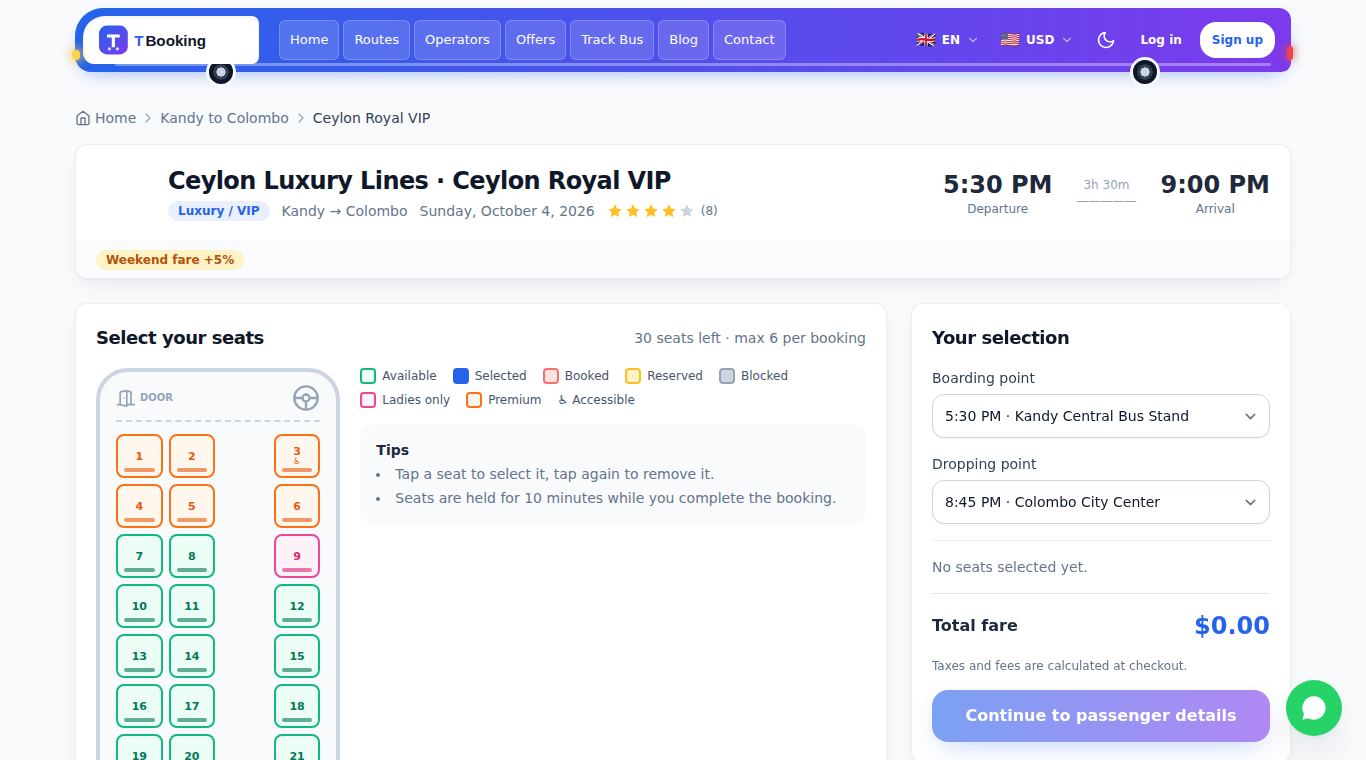
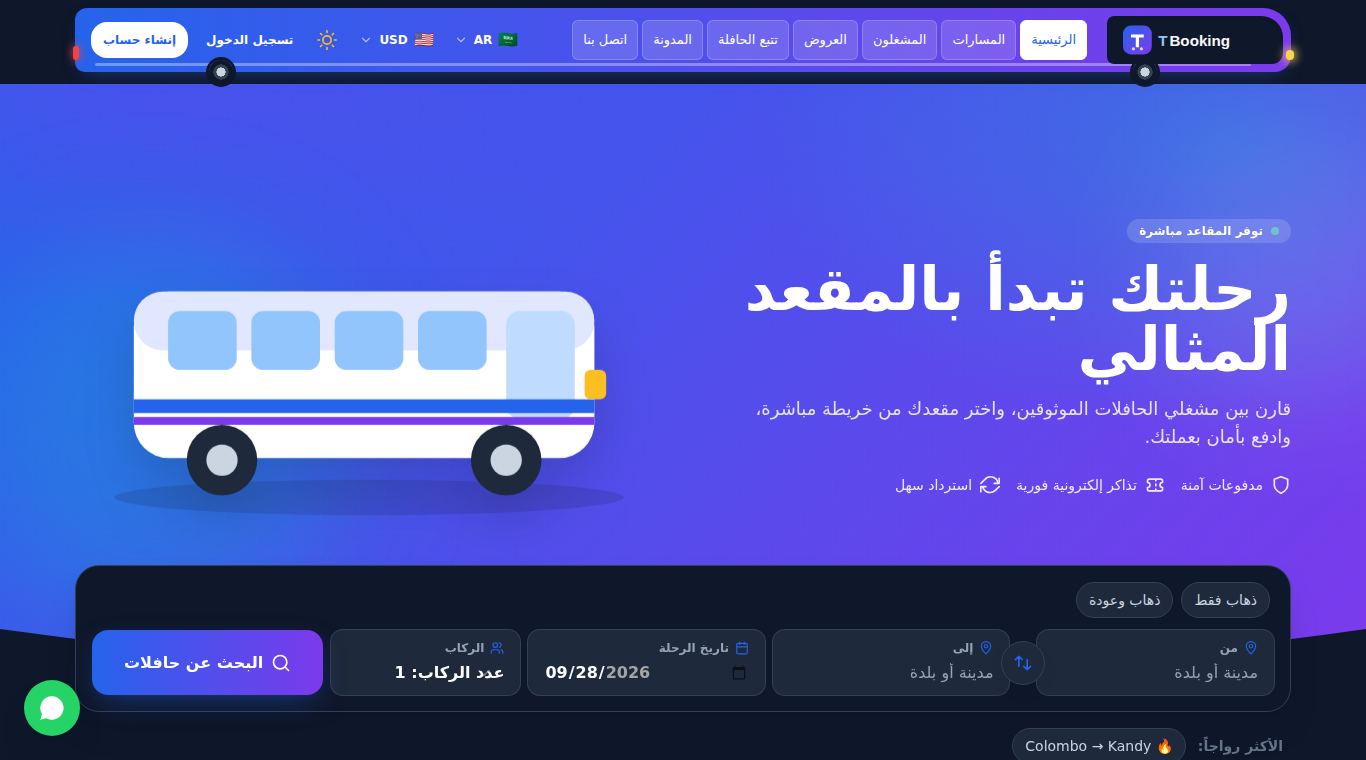
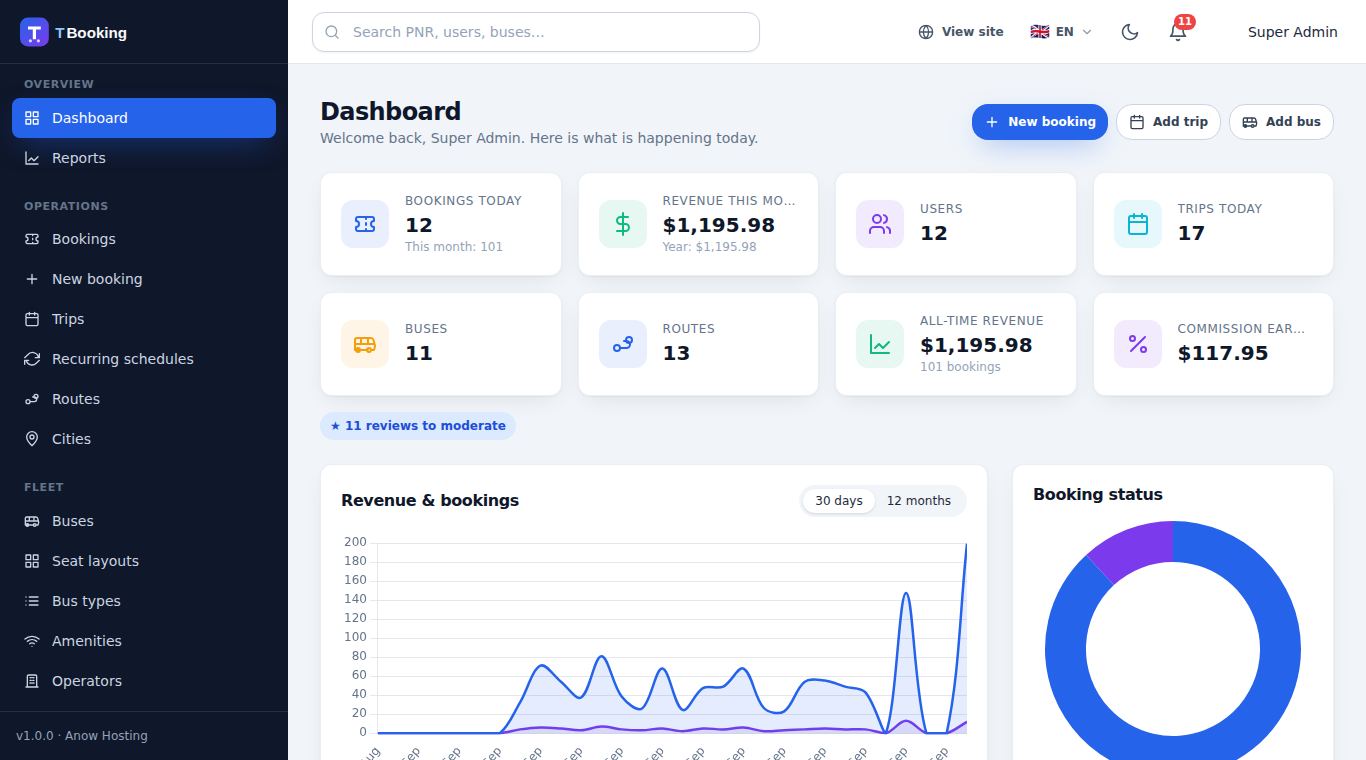
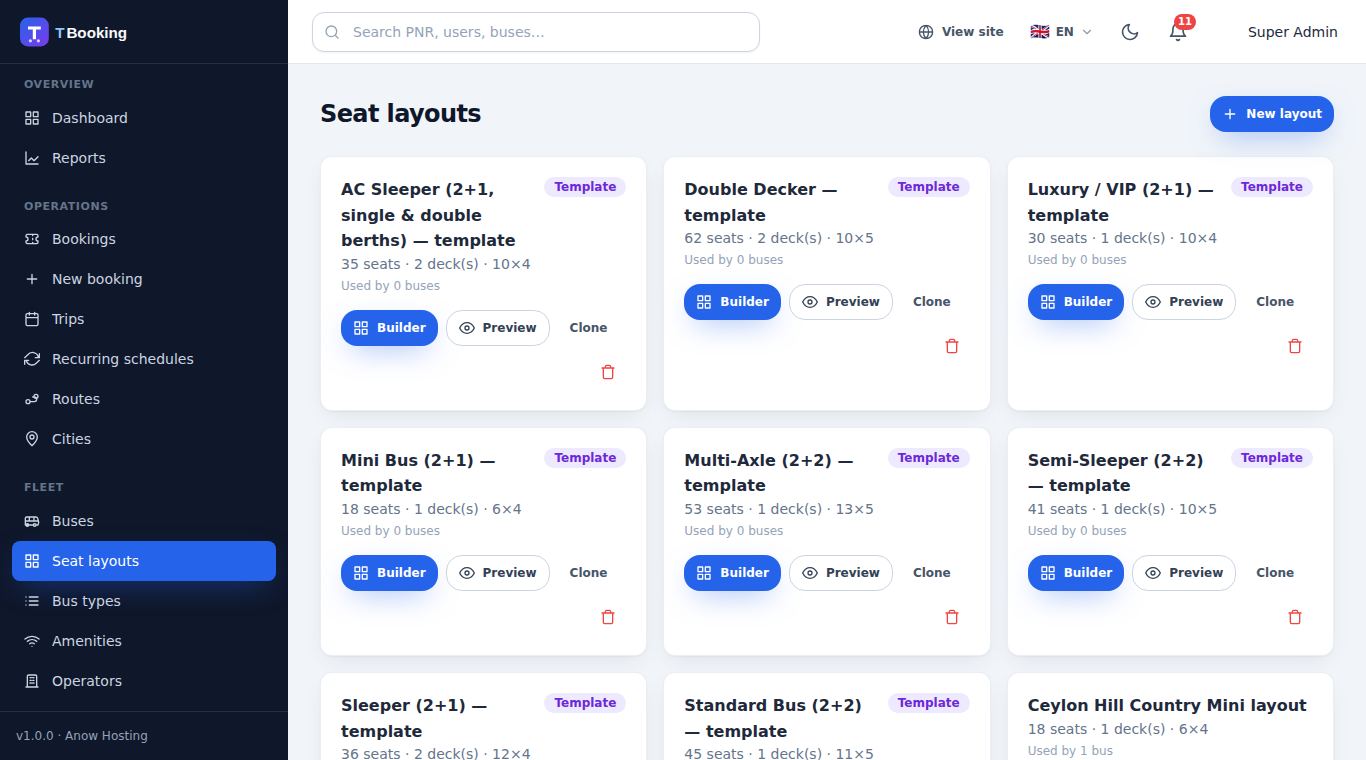
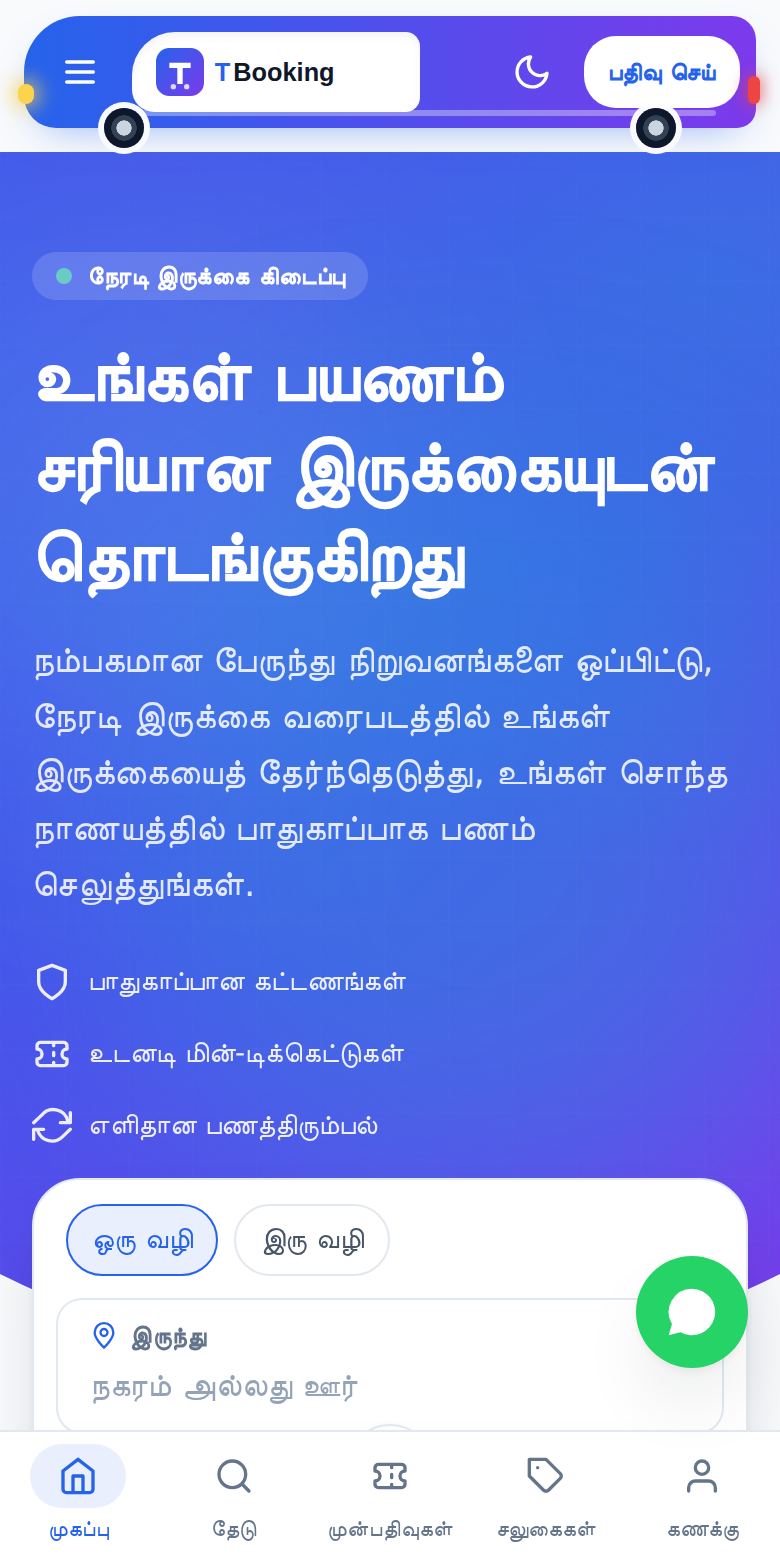
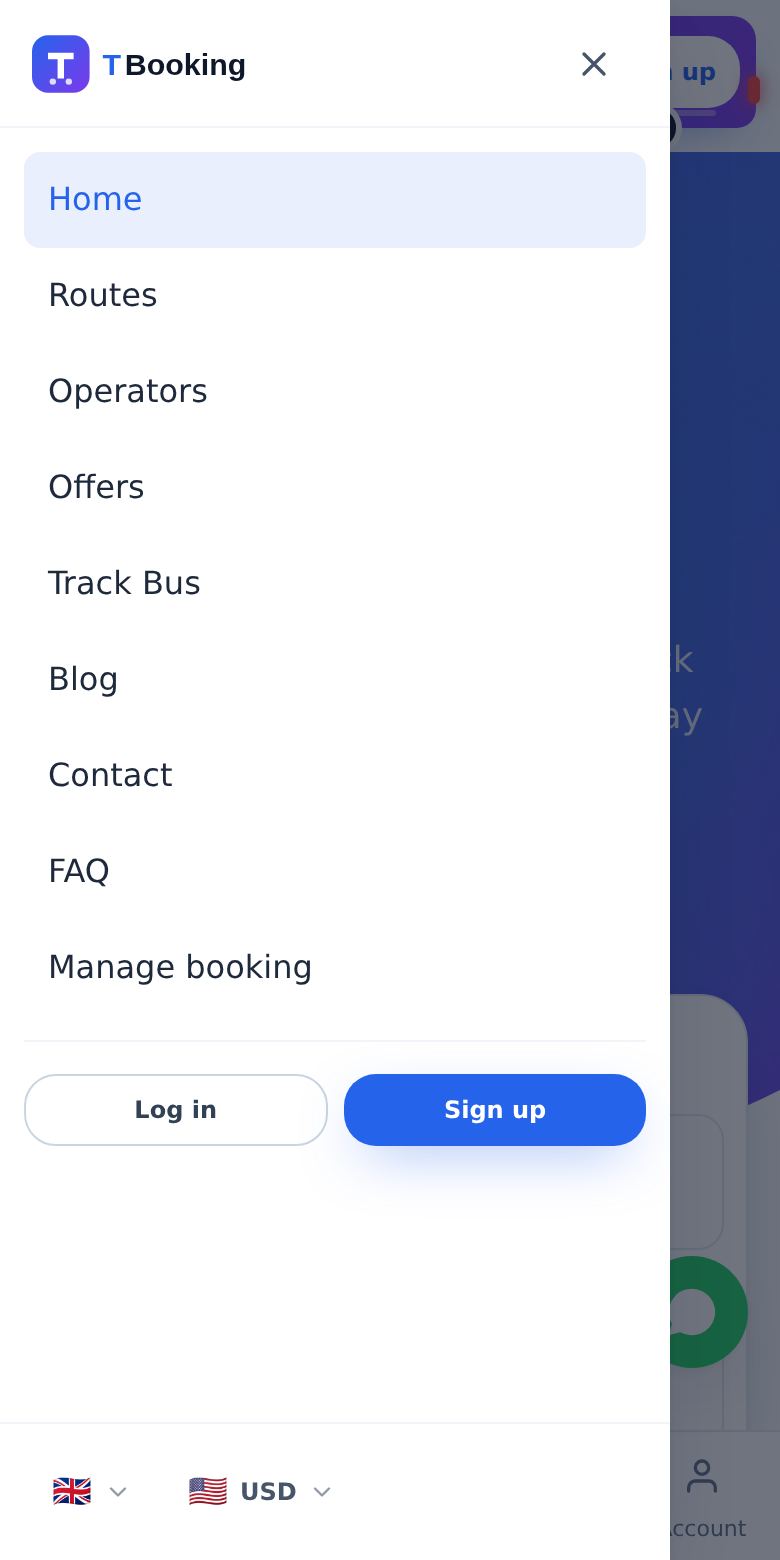
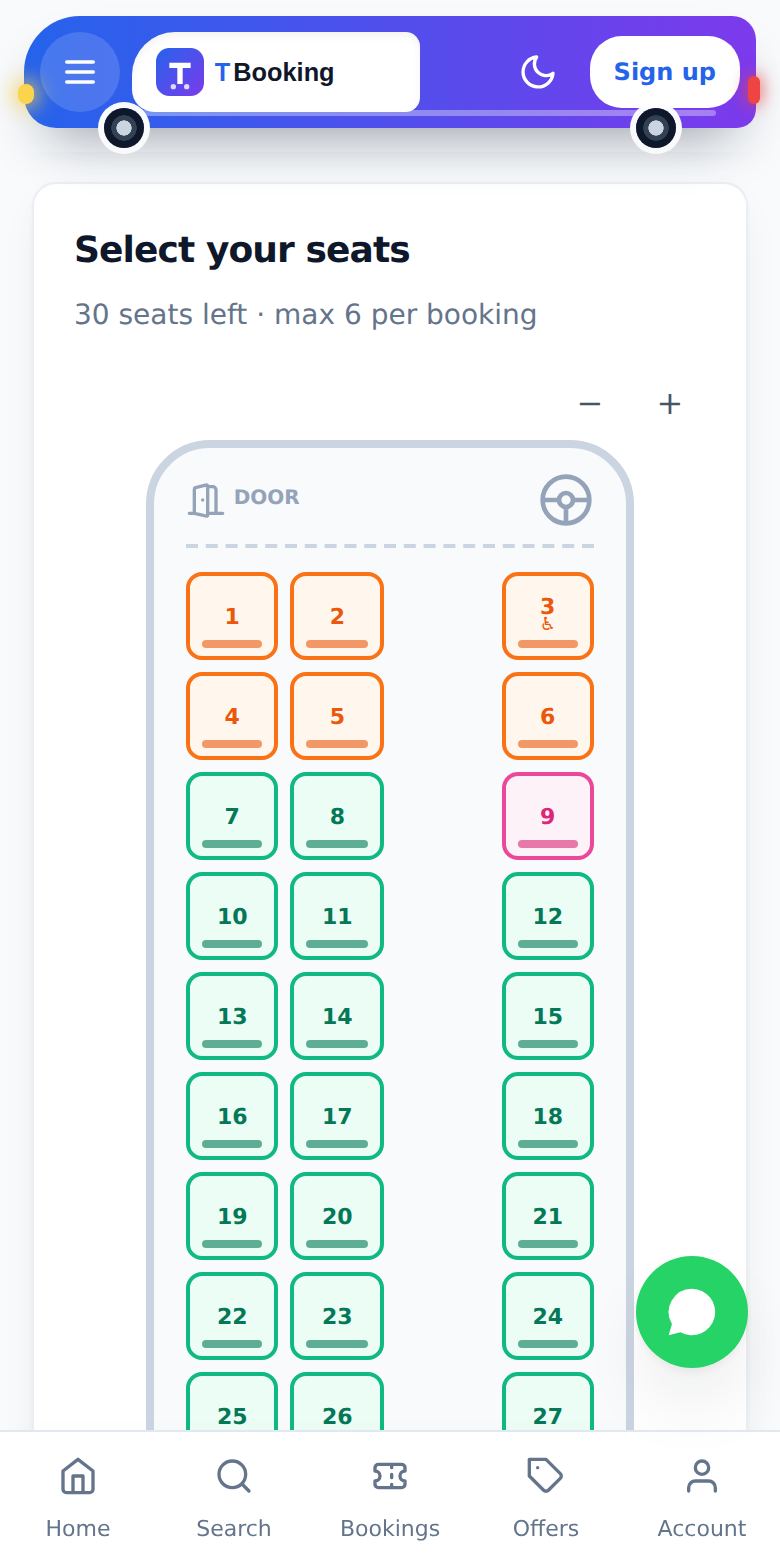
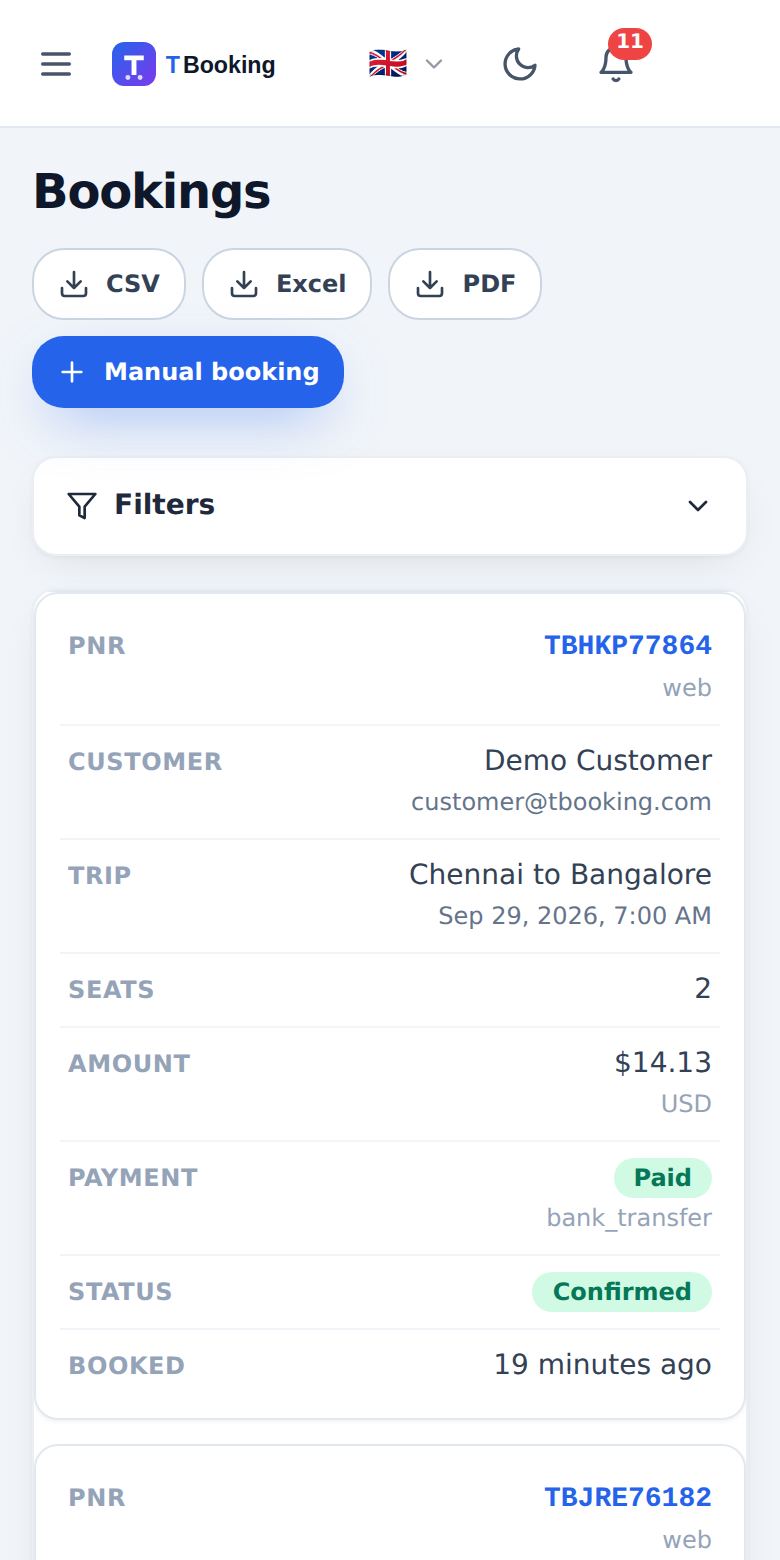
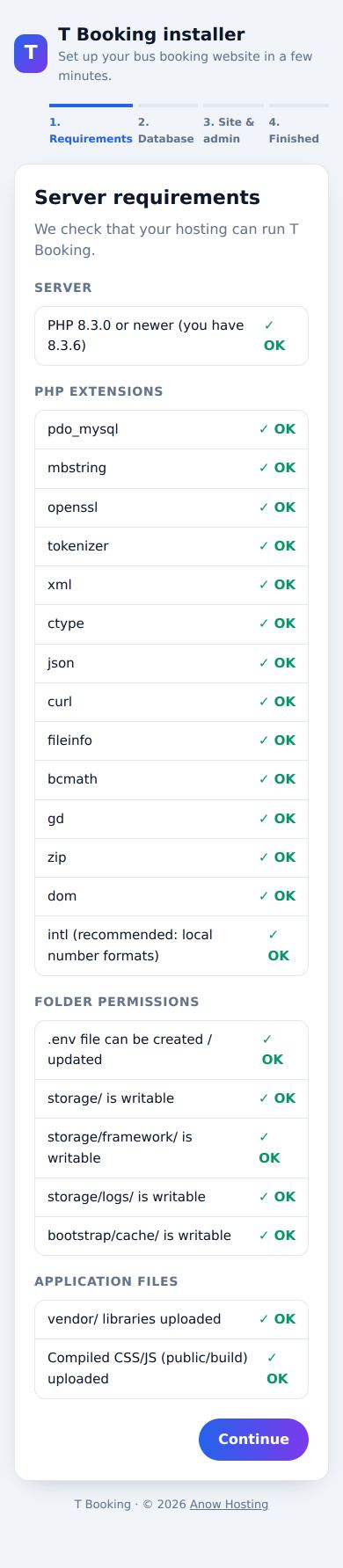
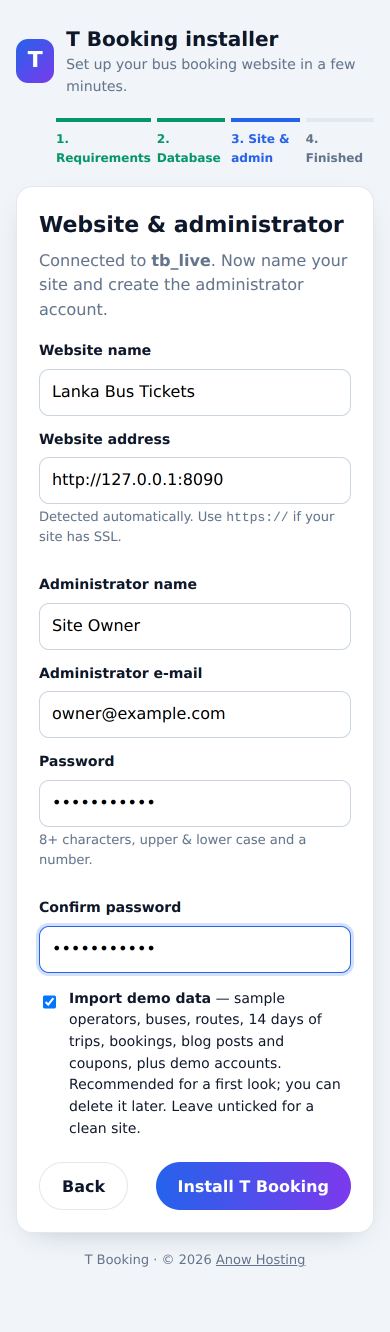
Server requirements
| Requirement | Version / note |
|---|---|
| PHP | 8.3 or newer (8.3, 8.4 and 8.5 are supported) |
| Database | MySQL 5.7+ / 8.x or MariaDB 10.4+ |
| Web server | Apache with mod_rewrite (cPanel default), LiteSpeed, or Nginx |
| PHP extensions | pdo_mysql, mbstring, openssl, tokenizer, xml, dom, ctype, json, curl, fileinfo, bcmath, gd, zip · intl recommended |
| Cron | One cron job running every minute (see Cron job) |
| SSL | Recommended (required by most payment gateways in live mode) |
cPanel tip: open MultiPHP Manager (or Select PHP Version), tick your domain, choose PHP 8.3 or newer and make sure the extensions above are enabled. The web installer checks everything for you and tells you exactly what is missing.
Important: cPanel saves the chosen PHP version as a line inside the .htaccess file of your site. When you upload T Booking, its .htaccess replaces that file and the domain can silently fall back to an older “Inherited” PHP (for example 8.1). After uploading, open MultiPHP Manager and select PHP 8.3 again. If the site shows “PHP 8.3 or newer is required”, this is the reason.
Package contents
T-Booking/
├── documentation/      ← this guide (open index.html in a browser)
├── mobile-apps/        ← Flutter source of the two apps + codemagic.yaml (not uploaded to hosting)
├── sql/                ← tbooking-demo.sql / tbooking-clean.sql for a manual install (phpMyAdmin)
└── upload/             ← upload the CONTENTS of this folder to your hosting
    ├── .htaccess       ← serves the site from public/ and protects all other files
    ├── .env.example    ← settings template: the installer turns it into .env
    ├── VERSION         ← the version of these files (used by the automatic update)
    ├── app/ bootstrap/ config/ database/ lang/ resources/ routes/ storage/ vendor/
    └── public/         ← index.php, compiled CSS/JS (build/), images, installer (install/)
All PHP libraries (vendor/) and compiled assets (public/build/) are included, so you do not need Composer, Node.js or SSH.
cPanel installation (one folder)
The whole application goes into a single folder — usually public_html. The included .htaccess serves every request from the public/ folder, so .env, the source code and your data can never be opened from a browser.
- Create a database. In cPanel open MySQL® Databases: create a database (e.g.
cpuser_tbooking), create a user with a strong password, then use Add User To Database and tick ALL PRIVILEGES. - Upload the files. Compress the contents of the
uploadfolder into a ZIP on your computer (or use the ZIP you downloaded), open cPanel → File Manager →public_html, click Upload, then Extract. Make sure.htaccess,.env.example,app/,public/,vendor/… are now directly insidepublic_html(enable Settings → Show Hidden Files to see the dot-files). Remove any oldindex.html. - Open your website. Visit
https://yourdomain.com— you are taken to the installer at/install/automatically. - Requirements. The installer checks your PHP version, extensions and folder permissions. Fix anything marked Missing (see the tip above), then press Continue.
- Database. Keep New installation selected and enter the host (
localhoston cPanel), database name, username and password from step 1. The connection is tested before you can continue. - Website & administrator. Enter your site name, confirm the website address (use
https://if you have SSL), and create your administrator account. Tick Import demo data for a complete example site (operators, buses, routes, 14 days of trips, bookings, blog, coupons), or leave it unticked for a clean site. - Install. Tables and data are created in about 10–60 seconds. The installer then locks itself; it cannot be run again unless you unlock it manually.
- Add the cron job shown on the last screen (see Cron job) and you are live.
- PHP version: if you changed it in MultiPHP Manager, check it once more after uploading (cPanel keeps the setting in
.htaccess).
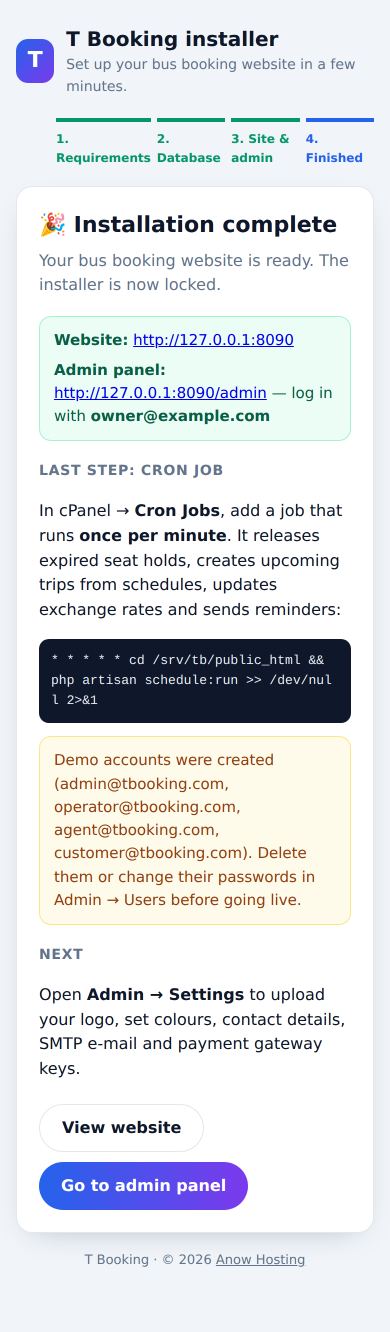
Demo accounts. When demo data is imported, these accounts are created: admin@tbooking.com / Admin@123456, operator@tbooking.com / Operator@123456, agent@tbooking.com / Agent@123456, customer@tbooking.com / Customer@123456. Delete them or change their passwords in Admin → Users before going live. Your own administrator account is always created with the e-mail and password you entered.
Manual install (SQL import, no installer)
Prefer phpMyAdmin, or the web installer cannot run on your hosting? Install by hand in five steps. The sql/ folder of the package contains two ready-made databases:
| File | Contents |
|---|---|
sql/tbooking-demo.sql | Complete demo site: operators, buses, routes, schedules, trips, bookings, blog, coupons and the demo accounts |
sql/tbooking-clean.sql | Clean site: roles, languages, currencies, templates, cities, bus types, seat layout templates, pages, FAQs and one administrator |
- Create a database and user in cPanel → MySQL® Databases (ALL PRIVILEGES).
- Import the SQL: cPanel → phpMyAdmin → select your database → Import → choose
tbooking-demo.sqlortbooking-clean.sql→ Import. - Upload the files of the
uploadfolder intopublic_html(see the cPanel installation above) and select PHP 8.3 in MultiPHP Manager. - Open your website. The installer opens. Continue to the Database step, choose “Use my existing database”, enter the database name, username and password, and click Test connection & continue. The installer writes
.env, creates the security key, locks itself and opens your website — nothing is deleted. - Log in at
/adminwithadmin@tbooking.com/Admin@123456. Change this e-mail and password immediately in My profile. Then add the cron job.
Without the installer: rename .env.example to .env, fill in APP_URL, DB_DATABASE, DB_USERNAME, DB_PASSWORD and set APP_INSTALLED=true (leave APP_KEY= empty — it is created on the first visit). Wrap passwords that contain spaces or # in single quotes: DB_PASSWORD='my#pass'. cPanel adds your account prefix to database and user names (e.g. cpuser_).
The demo trips cover the 14 days after the SQL file was created. With the cron job running, new trips are created from the schedules automatically every day; you can also add trips in Admin → Trips.
Install in a subfolder
To run T Booking at an address such as https://yourdomain.com/booking, create the folder public_html/booking, upload and extract the files there, and open https://yourdomain.com/booking. The installer detects the address automatically, and all links and assets are generated for the subfolder.
Document root on /public (optional, recommended for VPS)
If you can choose the document root of your domain (addon domains, subdomains, VPS), upload the files to a folder such as /home/cpuser/tbooking and point the domain's document root to /home/cpuser/tbooking/public. This is Laravel's standard layout; the root .htaccess is then simply not used. Open the domain and the installer starts as described above.
VPS / manual install (SSH)
Developers who prefer the command line can skip the web installer:
cp .env.example .env          # then set APP_URL and DB_* values
php artisan key:generate
php artisan migrate --seed     # demo data;  or: php artisan migrate && php artisan db:seed --class=InstallSeeder
php artisan storage:link
php artisan config:cache && php artisan route:cache && php artisan view:cache
For a manual install, add APP_INSTALLED=true to .env (or create an empty storage/installed file) so visitors are never sent to the installer. With a clean install (InstallSeeder), create your administrator with php artisan tinker or register and assign the super-admin role.
Nginx
server {
    listen 80;
    server_name yourdomain.com;
    root /var/www/tbooking/public;
    index index.php;
    location / { try_files $uri $uri/ /index.php?$query_string; }
    location ~ \.php$ {
        fastcgi_pass unix:/var/run/php/php8.3-fpm.sock;
        fastcgi_param SCRIPT_FILENAME $realpath_root$fastcgi_script_name;
        include fastcgi_params;
    }
    location ~ /\.(?!well-known).* { deny all; }
}
On Nginx always point root to the public folder — Nginx ignores .htaccess, so the one-folder layout is for Apache/LiteSpeed only.
Cron job & queue
T Booking needs one cron job. In cPanel → Cron Jobs, choose Once Per Minute (* * * * *) and use (replace the path with yours — the installer shows the exact line):
cd /home/cpuser/public_html && php artisan schedule:run >> /dev/null 2>&1If php is not found, use the full path, e.g. /usr/local/bin/php or /opt/cpanel/ea-php83/root/usr/bin/php.
| Task | Frequency | What it does |
|---|---|---|
tbooking:release-seats | every minute | Releases seats held by unpaid bookings after the hold time |
tbooking:exchange-rates | every 6 hours | Updates currency exchange rates |
tbooking:generate-trips | daily | Creates trips 30 days ahead from recurring schedules |
tbooking:trip-reminders | regularly | E-mail/SMS reminders 24 h and 2 h before departure |
tbooking:complete-trips | regularly | Completes finished trips and asks travellers for a review |
tbooking:price-alerts | regularly | Notifies customers when a fare drops below their alert |
tbooking:backup | daily | Database backup (Admin → System → Backups) |
tbooking:scheduled-reports | weekly | E-mails a performance summary to administrators |
Queue: the package uses QUEUE_CONNECTION=sync, so e-mails and webhooks are sent immediately and no queue worker is needed on shared hosting. On a VPS you can switch to database or redis and run php artisan queue:work with Supervisor.
After installation — checklist
- Admin → Settings → General: site name, contact e-mail/phone, WhatsApp number, address, default language, currency and timezone.
- Settings → Appearance: upload your logo (light and dark), favicon and social image; pick colours and font.
- Settings → Email & SMS: choose SMTP and enter your mail server so customers receive tickets.
- Settings → Payment gateways: enable Stripe, PayPal, Razorpay and/or bank transfer.
- Settings → Booking & pricing: seat hold time, tax, service fee, discounts and cancellation rules.
- Add operators, buses, routes and schedules (or edit the demo data).
- Review the Pages (Terms, Privacy, Refund policy) and FAQs in Marketing & content.
- Enable Force HTTPS in Settings → Security once SSL is active.
Running a public demo? Add DEMO_MODE=true to .env. Visitors can then log in with the demo accounts (shown on the login page) and try everything, but changes in the admin and operator panels, profile and password changes are not saved. Customers can still search, book and pay with the demo gateway.
Payment gateways
All gateways are configured in Admin → Settings → Payment gateways (keys are stored encrypted). You can also put them in .env. Customers pay in their chosen currency where the gateway supports it.
| Gateway | What you need | Notes |
|---|---|---|
| Stripe (cards, Apple Pay, Google Pay) | Publishable key, secret key, webhook signing secret | Create a webhook in the Stripe dashboard for checkout.session.completed pointing to https://yourdomain.com/payments/webhook/stripe |
| PayPal | Client ID, secret, mode (sandbox / live) | REST app from developer.paypal.com |
| Razorpay (UPI, cards, netbanking) | Key ID, key secret | For Indian rupee payments |
| PayHere (Sri Lanka: Visa, Mastercard, Amex, eZ Cash, mCash, Genie, internet banking) | Merchant ID, merchant secret, mode (sandbox / live) | In PayHere → Settings → Domains & Credentials add your domain to get the merchant secret. Payments are confirmed on https://yourdomain.com/payments/webhook/payhere (sent automatically with every payment — your site must be reachable from the internet, not localhost). Charges in LKR, USD, EUR, GBP or AUD. Test with a sandbox account from sandbox.payhere.lk first. |
| Bank transfer | Your bank details (text) | Customer uploads a reference/receipt; confirm it in Admin → Bookings |
| Wallet | — | Refunds, referral bonuses and top-ups; can be combined with other methods |
| Demo gateway | — | For testing only; automatically hidden when APP_ENV=production |
Card data is entered on the gateway's own hosted page, so it never touches your server.
Footer logos: upload the logos of the methods you accept under Payment gateways → Payment logos in the footer (PNG, JPG, WebP or SVG, any size). Each logo is fitted into an equal white tile, so wide, tall and square logos line up neatly on phones and computers. Without uploads, the names of the enabled gateways are shown.
E-mail (SMTP)
In Settings → Email & SMS set Mail driver to smtp and enter your server. For a cPanel mailbox this is usually host mail.yourdomain.com, port 465 with ssl (or 587 with tls), the full e-mail address as username and its password. For Gmail use an App password. The 19 e-mail templates (booking confirmation with PDF ticket, cancellation, refund, OTP, password reset, reminders…) are editable in Marketing & content → Email / SMS templates, in every language.
SMS & WhatsApp
SMS gateway options: Twilio (account SID, auth token, from number), Vonage, or a custom HTTP API using the placeholders {to} and {message}. WhatsApp notifications use the official WhatsApp Business Cloud API (token and phone number ID from Meta).
Maps, analytics, chat & reCAPTCHA
- Google Maps — API key for route maps and live tracking; without a key OpenStreetMap is used.
- Google Analytics 4 and Facebook Pixel — enter the IDs; they load only after cookie consent.
- Tawk.to live chat and a WhatsApp chat button (uses the WhatsApp number from General settings).
- Google reCAPTCHA v3 — site key, secret and minimum score (Settings → Security) to protect login, registration and forms.
- Exchange rates — free rates are used automatically; an exchangerate-api.com key is optional.
- Google Translate API key (optional,
.env) enables one-click auto-translation in Admin → Languages.
Real-time seats (Pusher, optional)
Seat maps refresh automatically. For instant seat updates create a free app at pusher.com, add the keys to .env and enable Real-time seats in Settings → Integrations:
BROADCAST_CONNECTION=pusher
PUSHER_APP_ID=...
PUSHER_APP_KEY=...
PUSHER_APP_SECRET=...
PUSHER_APP_CLUSTER=ap2
Branding & appearance
In Settings → Appearance you can change: logos (header, dark mode, footer), favicon, social share image, seven brand colours, the header colour, font (Google Fonts), corner style, default colour mode (light / dark / system), the header style (bus-shaped header or plain white bar), home page sections and hero texts, plus custom CSS and JavaScript. Themes can be exported and imported as JSON.
Feature list
Search & booking
- City auto-complete, one-way & round trip
- Filters: price, time, bus type, operator, amenities, AC
- Compare up to 3 buses
- Live seat availability, seat hold timer
- Boarding & dropping points
- Add-ons: insurance, meals, extra luggage
- Guest checkout & PNR lookup
- Price alerts and sold-out waitlist
Seat layouts
- Standard 2+2, semi-sleeper, sleeper 2+1
- Luxury/VIP, double decker, mini bus
- AC seater + sleeper, multi-axle
- Drag & drop layout builder
- Ladies-only, premium, accessible seats
- Pinch-to-zoom on phones
Payments & money
- Stripe, PayPal, Razorpay/UPI
- Bank transfer with receipt upload
- Wallet & partial wallet payments
- Refunds to wallet or original method
- Invoices, transactions, operator payouts
Tickets & notifications
- PDF e-ticket with QR code & barcode
- Public QR ticket verification
- Calendar (.ics / Google) & WhatsApp share
- E-mail, SMS, WhatsApp, in-app notifications
- Bulk e-mail/SMS campaigns
Customers
- E-mail, OTP, Google & Facebook login
- Two-factor authentication
- Saved passengers, booking history
- Loyalty points, refer & earn
- GDPR data export & account deletion
Global
- 9 languages, Arabic RTL
- 58 currencies, IP auto-detection
- Translation editor with auto-translate
- Dark mode, PWA, offline page
- Mobile-first design, bus-shaped header
SEO & marketing
- XML sitemaps with hreflang
- Meta, Open Graph, Twitter cards, schema.org
- 301 redirects & 404 monitor
- Blog, pages, FAQs, banners, testimonials
- Coupons (percent / fixed, limits, first booking)
Security
- CSRF, XSS & SQL-injection protection
- Rate limiting, reCAPTCHA v3
- CSP & security headers, force HTTPS
- IP blacklist, admin IP whitelist
- Audit log, login activity, encrypted keys
Operations
- Recurring schedules → automatic trips
- Dynamic pricing (early bird, last minute, weekend, demand)
- Reports with charts; PDF & CSV export
- Backups, system health, recycle bin
- REST API & signed webhooks
Admin panel
Open https://yourdomain.com/admin. The panel works on phones too (menu button top-left; tables turn into cards). Main areas:
| Area | Modules |
|---|---|
| Overview | Dashboard (bookings, revenue, charts, live panel), Reports |
| Operations | Bookings (incl. manual booking), Trips, Recurring schedules, Routes, Cities |
| Fleet | Buses, Seat layouts, Bus types, Amenities, Operators |
| Customers | Users, Roles & permissions, Reviews, Messages |
| Finance | Transactions, Payments, Refunds, Operator payouts, Wallets, Coupons |
| Marketing & content | Pages, Blog, Blog categories, FAQs, Banners & popups, Testimonials, Media library, Email/SMS templates, Bulk messages, Notification logs, Subscribers |
| SEO | Meta tags, Redirects, 404 monitor, SEO tools & sitemap |
| Settings | General, Booking & pricing, Appearance, Payment gateways, Email & SMS, Integrations, Mobile & features, SEO settings, Languages, Currencies, Webhooks |
| System | Security settings, IP rules, Login activity, Backups, System logs, System health, Activity log, Recycle bin |
Roles & permissions
| Role | Access |
|---|---|
| Super Admin | Everything, including settings, roles and system tools |
| Admin | Day-to-day management (configurable) |
| Operator | Operator panel only — own buses, trips, bookings, reviews and revenue |
| Agent | Bookings and customers (e.g. counter staff); no settings or user management |
| Customer | Website and personal account |
Create your own roles and tick individual permissions in Customers → Roles & permissions. Administrators can be required to use two-factor authentication.
Operator panel
Bus companies log in at https://yourdomain.com/operator to manage their fleet and trips, see bookings and passenger lists, reply to reviews and follow their revenue and commission. Create an operator in Fleet → Operators and link a user account with the operator role.
Buses, seat layouts & trips
- Seat layouts: start from one of the 8 templates or build your own with drag & drop (decks, rows, seat types, ladies/premium/accessible seats, blocked seats, driver and door position).
- Buses: assign operator, bus type, seat layout, amenities, photos and GPS tracking (each bus has a tracking token for GPS devices or a driver app).
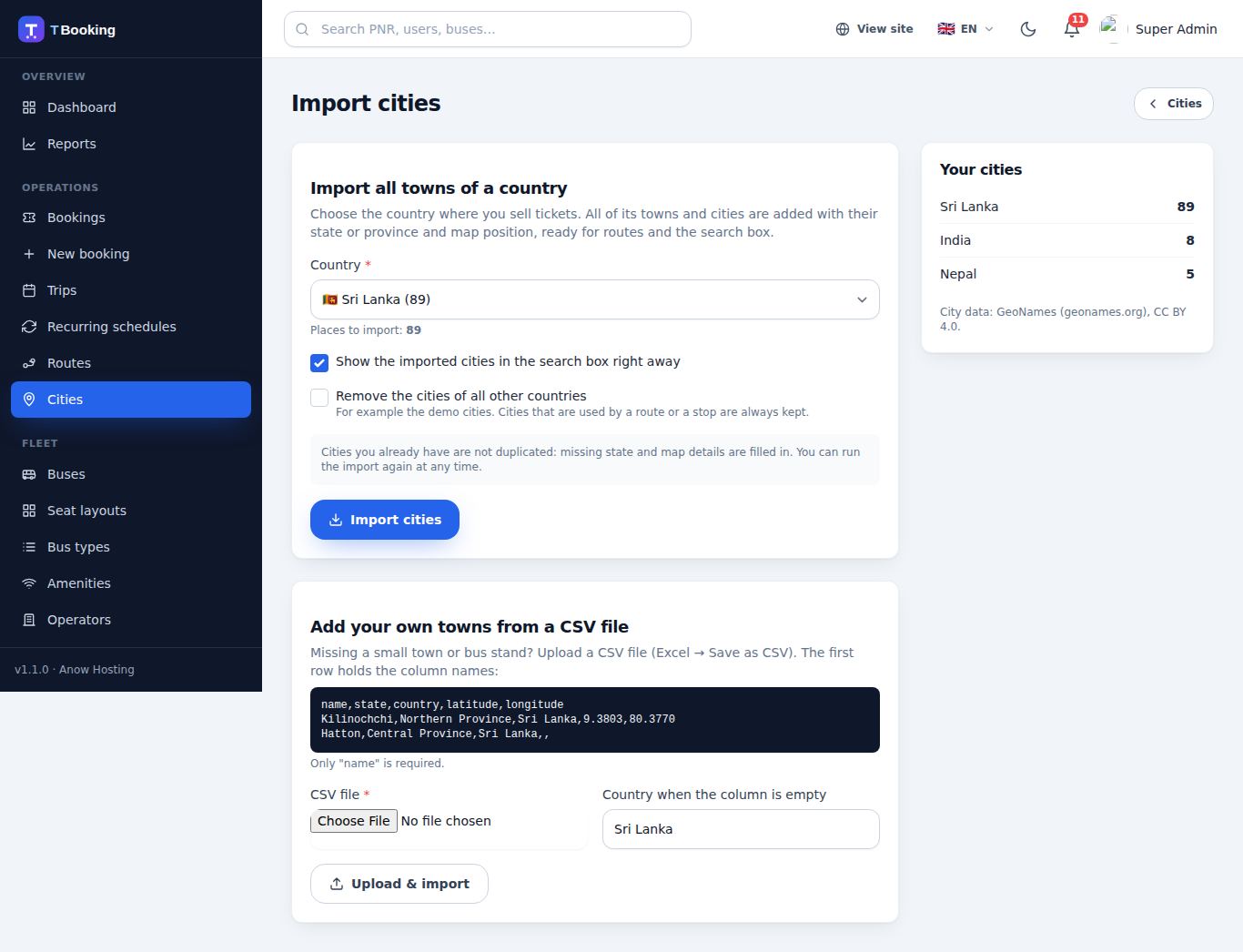
- Cities: Admin → Cities → Import cities — choose your country (246 countries, e.g. Sri Lanka, India, Nepal, Malaysia…) and all of its towns and cities are added in a few seconds, with state/province and map position. Tick Remove the cities of all other countries to delete the demo cities of other countries (cities used by a route are kept). Missing a small town or bus stand? Upload a CSV file (
name,state,country,latitude,longitude) or add it by hand. - Routes: origin, destination, stops with times and distances. The city fields are searchable — type a few letters to pick from thousands of towns.
- Recurring schedules: route + bus + departure time + days of the week + fare + boarding/dropping points. Trips are generated automatically by the cron job (30 days ahead). Single trips can also be added manually.
Pricing, coupons & refunds
Fares are stored in the base currency (USD by default) and converted for each visitor. Settings → Booking & pricing controls tax, service fee, child/senior/student/group discounts, early-bird and last-minute discounts, weekend and high-demand surcharges, loyalty points and referral bonuses. Coupons (percentage or fixed, minimum amount, maximum discount, usage limits, first-booking-only, route/operator/bus restrictions) are managed in Finance → Coupons. Cancellations follow the cut-off and charge you set; refunds go to the customer wallet instantly or back to the original payment method.
Languages & RTL
Included: English, Tamil, Sinhala, Hindi, French, Spanish, Arabic (right-to-left), Chinese and Japanese. URLs carry the language (/ta/…, /ar/…); the default language has no prefix. In Settings → Languages you can enable/disable languages, choose the default, and edit every text in the browser (with optional Google auto-translate). Content such as pages, FAQs, blog posts and e-mail templates can be written per language.
Currencies
58 currencies are included (LKR, INR, NPR, USD, EUR, GBP, AED, SAR…). Visitors can pick a currency or have it detected from their location. Rates update automatically every 6 hours; you can set a manual rate per currency and a global markup in Settings → Currencies.
REST API & mobile apps
A versioned JSON API at /api/v1 covers everything an Android / iOS app (Flutter, React Native, Kotlin, Swift) needs. Users sign in with Laravel Sanctum bearer tokens. Choose the language with Accept-Language and the currency with X-Currency.
| Endpoints | Description |
|---|---|
GET /config, /meta, /payment-methods | App start-up: branding, colours, feature switches, app version & store links, support contacts, languages, currencies |
GET /cities, /operators, /routes, /popular-routes, /offers, /banners, /faqs, /pages/{slug} | Catalog and home-screen content |
GET /search, /trips/{id}, /trips/{id}/seats | Search and live seat map |
POST /auth/register, /auth/login, /auth/logout, /auth/forgot-password, GET|PUT|DELETE /auth/me, PUT /auth/password | Accounts, profile, password, account deletion (required by the app stores) |
GET|POST /bookings, GET /bookings/{pnr}, POST /bookings/{pnr}/pay, /cancel, /review, POST /bookings/lookup | Book, pay, cancel, review; guests find a booking by PNR |
GET|POST|PUT|DELETE /passengers | Saved passengers |
GET /notifications, POST /notifications/read, POST|DELETE /devices | In-app notifications and push notification tokens (Firebase / APNs) |
GET /wallet | Wallet balance and transactions |
GET|POST /tracking/{trip} | Live bus position (GPS devices post with X-Tracking-Token) |
Payments in the app: the wallet is paid inside the app. For cards, PayHere, PayPal, Razorpay and bank transfer the API returns a signed checkout_url that opens the secure web checkout in the app's browser — no second login needed and no card data in the app. Tickets (ticket_url) are signed links too.
Full request/response examples and the typical app flow are in API.md in the upload folder. Outgoing webhooks (booking.confirmed, booking.cancelled) are signed with X-TBooking-Signature (HMAC-SHA256).
Mobile apps (Android & iPhone)
The mobile-apps folder contains the Flutter source code of two apps that connect to your website. Build them once with your website address and publish them under your own name.
| App | For | Main screens |
|---|---|---|
| T Booking | Passengers | Search with recent searches and offers, live seat map, passenger details, secure payment (wallet in the app, other gateways in the app's browser), QR ticket, live bus tracking, find booking by PNR, cancel & refund, reviews, saved passengers, wallet, notifications, Google & Apple sign-in, account deletion |
| T Booking Business | Admins, operators, agents | Dashboard with revenue chart, today's trips, trip status (start, delayed, completed, cancel), passenger manifest, QR ticket scanner for boarding, share the bus GPS position, bookings (approve bank transfers, resend, cancel & refund), earnings, users. Each person sees only what their role allows. |
- English, Tamil and Sinhala; light and dark mode; animated, accessible interface.
- Built for the Google Play and App Store rules: tickets are a real-world service, so your own payment gateways are used (no in-app purchase needed), account deletion inside the app, permission texts, no tracking.
- Push notifications through Firebase (optional): Admin → Settings → Mobile App & Feature Flags.
- No Mac needed for iPhone builds: the included
codemagic.yamlbuilds and uploads both apps to Google Play and TestFlight.
Step-by-step setup, signing, store listing answers (Data safety, App Privacy) and the review checklist: mobile-apps/README.md.
Updating
Updates keep your database, settings, uploads and bookings. There is nothing to run by hand.
- Back up (recommended): Admin → System → Backups, or phpMyAdmin → Export.
- Upload the new version: File Manager → your site's folder → Upload the new ZIP (the contents of the
uploadfolder) → Extract and allow it to overwrite the old files. The package contains no.env, so your settings cannot be overwritten, and files you uploaded (logos, photos) stay where they are. - Open your website. The first visit notices the new version and updates the database automatically (new tables, new permissions, languages, currencies and e-mail templates — anything you changed is kept) and clears the caches. It takes a second or two.
- Check Admin → System → System health: it shows the version and “Database is up to date”. The Run update button there repeats the update if ever needed.
PHP version after an update: cPanel keeps the MultiPHP setting inside .htaccess, which an update replaces. T Booking remembers that setting and puts it back automatically on the next visit. If you ever see “PHP 8.3 or newer is required”, select PHP 8.3 again in MultiPHP Manager.
With SSH you can also run php artisan migrate --force and php artisan optimize:clear yourself.
Backups & security
- Backups can be created and downloaded in Admin → System → Backups (daily automatic backup via cron). Set
BACKUP_PASSWORDin.envto encrypt the ZIP files. - The installer locks itself. To reinstall you must delete
storage/installedand setAPP_INSTALLED=false— this can erase your data. - Keep
APP_DEBUG=falseon a live site. - Behind Cloudflare or a load balancer set
TRUSTED_PROXIES=*in.env, so IP-based rules and rate limits see the real visitor IP.
Troubleshooting & FAQ
"500 Internal Server Error"
Check storage/logs/ for the error. Make sure PHP 8.3+ is selected, storage/ and bootstrap/cache/ are writable (755/775), and the .env database details are correct.
The installer stops with an error
The installer runs in small steps so it stays within shared-hosting time limits. If a step fails, the message is shown on screen and saved in storage/logs/installer.log. Messages such as Maximum execution time exceeded or Allowed memory size exhausted mean the host's limits are very low — raise max_execution_time (60+) and memory_limit (256M) in cPanel → Select PHP Version → Options, then press Start the installation again. Starting again is safe: the database is emptied first, so nothing is duplicated.
"Composer detected issues in your platform"
Your PHP version is too old. Choose PHP 8.3 or newer in cPanel → Select PHP Version.
The site shows a file list or "Forbidden"
The .htaccess file was not uploaded (hidden file) or mod_rewrite is disabled. Enable Show Hidden Files in File Manager and upload it again.
Pages have no styling
Check that public/build/ was uploaded and that APP_URL in .env matches your address (http vs https, www vs non-www).
Uploaded images do not appear
Make sure storage/app/public is writable. Uploads are served even when the host does not allow the public/storage symlink.
E-mails are not sent
Set the mail driver to SMTP in Settings → Email & SMS; check Admin → Notification logs for errors.
Seats stay held / no new trips
The cron job is not running. Check the command and PHP path; Admin → System → System health shows whether the scheduler (cron) is running.
Can I use it without demo data?
Yes — leave Import demo data unticked in the installer. Cities, amenities, bus types, seat layout templates, pages and FAQs are still created.
Credits & licenses
T Booking is built on these open-source projects (each under its own license, mostly MIT): Laravel, Laravel Sanctum & Socialite, spatie/laravel-permission, DomPDF (barryvdh/laravel-dompdf), Simple QrCode, Google2FA, Pusher PHP, Tailwind CSS, Alpine.js, Chart.js, Laravel Echo & pusher-js, Quill editor, and Leaflet/OpenStreetMap. City data: GeoNames, licensed under Creative Commons Attribution 4.0. Demo photos are loaded from Unsplash and are for demonstration only.
The T Booking source code is licensed under the terms in the LICENSE file. © 2024 Anow Hosting. All rights reserved.
Changelog
1.2.0
- Flutter mobile apps for Android and iPhone: T Booking for passengers and T Booking Business for admins, operators and agents.
- Business API: dashboard, trips, manifest, trip status, GPS position, QR ticket check-in, bookings, payment approval, earnings, users.
- Push notifications to the apps (Firebase Cloud Messaging).
- Google and Apple sign-in for the apps; QR code and boarding point in the booking API.
1.1.0
- Import all towns and cities of a country (246 countries, GeoNames data) or from a CSV file; searchable city pickers in the route form.
- PayHere payment gateway for Sri Lanka (cards, eZ Cash, mCash, Genie, internet banking).
- One-step updates: upload the new files, the database updates itself on the next visit; the PHP version setting survives updates.
- Installer: “Use my existing database” for SQL imports and moved sites; the package ships
.env.exampleinstead of.env. - Mobile app API: app configuration, profile & password, account deletion, saved passengers, notifications, push device tokens, reviews, guest PNR lookup, signed checkout and ticket links.
- Tapping a booked, reserved or blocked seat explains why it cannot be chosen.
- Footer payment logos: upload your own, any size, shown in equal tiles.
1.0.0
- Initial release: Laravel 13, web installer, one-folder cPanel hosting, bus-shaped header, 9 languages, 58 currencies, 8 seat layouts, admin & operator panels, REST API.
Support
Need help? Contact us — please include your purchase code and a short description or screenshot of the problem.
© 2024 Anow Hosting. All rights reserved. · Powered by Anow Hosting | anowhosting.com
Social login (Google & Facebook)
Enable the providers in Settings → Integrations and enter the client ID and secret. Use these redirect / callback URLs in the Google Cloud console and Meta for Developers:
Customers can also log in with a one-time code (OTP) sent by e-mail or SMS, and every user can enable two-factor authentication (Google Authenticator / Authy).